
In eMail Marketing we often see words like “discount”, “free”, “urgent”, “buy now”, and many others, that Marketers think would attract attention of the Buyer Persona. May they will, but surely they destroy “value” from technical pov (and hidden) by MBPs (Google, Yahoo, AOL, iCloud, enterprise servers, etc…. And this is a hell of problem, read below why…
What “Reduced Inbox Placement” looks like in practice:
BEFORE – You send 10,000 emails:
- 8,000 → Inbox
- 2,000 → Promotions
- 0 → Spam
AFTER engagement drops – You send 10,000 emails again:
- 2,000 → Inbox
- 5,000 → Promotions
- 3,000 → Spam
Technically the eMail Campaign message was delivered, but to the wrong folder!
This is why many senders mistakenly think: “Everything was delivered, why is my open rate so low?” Because the inbox placement collapsed. There are several reasons why this happens in your eMail Automation Flows or Campaigns, let’s dive deep into the problem.
1. HOW “LOW-QUALITY WORDS” AFFECT DELIVERABILITY in eMAIL AUTOMATION
📌 1.1. They contribute to Spam Scores, not automatic blocking
Modern spam filters (Gmail, Outlook, Yahoo, AOL, ICloud, enterprise filters) assign scores using ML models, not fixed word lists.
Bad words contribute to:
- Lexical scoring (e.g., excessive promotional language)
- NLP-based classification (tone analysis)
- Content fingerprint matching (similarities to known spam campaigns)
These factors increase the message’s spam probability, which affects:
- Inbox vs. Promotions tab
- Inbox vs. Spam folder placement
- Whether the domain accumulates negative user engagement signals
But alone, they rarely cause a domain or IP-level block.
📌 1.2. They reduce positive user signals (Sender Reputation drop)
Users ignore emails containing spammy language.
This leads to:
- Lower open rates of even the most curated eMail flow or campaign
- Higher delete without opening
- Higher spam complaints
Mailbox providers (MBPs) use these behaviours to adjust:
- Domain reputation
- Campaign-level reputation
- Future inbox placement
Low-quality words → lower positive engagement → worse reputation → worse deliverability.
2. HOW POOR IMAGE QUALITY IMPACTS DELIVERABILITY OF YOUR eMAILS
📌 2.1. Image hosting domain reputation
If your images are hosted on servers with:
- slow response time
- low trust (unknown domains)
- shared servers used by spammers
filters can down-rank your email.
📌 2.2. Broken images or missing alt-text
Technical issues signal low-quality content:
- Broken images → “resource errors”
- No ALT text → “blind” content
- Overuse of images → “commercial blast pattern”
These reduce your content score and negatively affect inbox placement of your Marketing efforts via eMail. Here it is the top of the problems (read below)!
📌 2.3. Image-only or image-heavy emails
Emails with too many images and too little text are historically linked to:
- affiliate spam
- phishing
- casino & escort spam
- scam campaigns
Filters score these patterns aggressively.
3. HOW TEXT-TO-IMAGE RATIO AFFECTS DELIVERABILITY
📌 3.1. Filters detect image-heavy patterns
If >60% of the content is images, filters may classify the message as:
- promotional
- bulk
- potential phishing (image-only emails hide text from filters)
- typical spam patterns
A low text/image ratio affects:
- inbox vs. promotions placement
- filtering sensitivity
- domain reputation if engagement drops (same mechanism as above)
📌 3.2. Accessibility scoring
Google and Microsoft now integrate “accessibility quality checks.” Emails with too short text:
- score worse for accessibility
- tend to land in promotions
- receive weaker machine-learning trust scoring
4. OTHER BAD CONTENT PRACTICES AND THEIR TECHNICAL EFFECTS
🚫 4.1. Overuse of exclamation marks, caps, emojis
These patterns resemble spam fingerprints.
They increase:
- lexical spam score
- promotions classification likelihood
But again, not blocking of your eMail efforts, thanks God!
🚫 4.2. Long subject lines
- Truncated subjects → lower engagement
- Lower engagement → poor domain reputation
This is indirect, but real: your eMail Marekting efforts suffers silently!
🚫 4.3. No unsubscribe link or hidden unsubscribe
This triggers:
- immediate spam classification in enterprise filters
- Gmail/Outlook “abusive sender” reports
- higher spam complaint likelihood
Repeated violations → your Domain reputaion downgrade.
🚫 4.4. Using URL shorteners (bit.ly, t.ly, tinyurl)
Triggers phishing/spam flags because:
- spammers hide malicious links behind shorteners
- link reputation is shared across the whole service
This can directly reduce deliverability, even if your email is otherwise clean.
5. TECHNICAL MECHANISMS BEHIND DELIVERABILITY IMPACT
Low-quality content triggers multiple filter layers simultaneously:
📌 5.1. ML-based Content Classification
(Used by Gmail, Outlook, Yahoo)
Emails are analyzed by MBPs for patterns matching:
- spam
- phishing
- promotions
- bulk senders
Content quality affects this scoring heavily.
📌 5.2. Content Fingerprinting
Large providers maintain embeddings of known spam eMail campaigns.
If your email text resembles known spam patterns, the filter increases suspicion.
📌 5.3. Engagement-Based Filtering
The largest modern deliverability factor: bad content → low opens → fewer positive engagement signals:
- Not opened
- Deleted without reading
- Moved to spam
- Unsubscribed
- Complaints
Mailbox providers treat this as: “Users don’t like this sender → reduce inbox placement.”
📌 5.4. Domain Reputation & IP Reputation
Low content quality doesn’t directly harm reputation.
But the behavioural reactions it causes do harm it.
Bad content → worse engagement → worse reputation → more emails filtered.
6. WILL THESE PRACTICES CAUSE A SENDER TO BE “BLOCKED”?
❌ No, not by themselves.
Bad content lowers deliverability but does not cause:
- IP blacklisting
- domain blacklisting
- SMTP-level blocking
Unless:
- the sender pushes high volume with bad practices
- the sender triggers high spam complaint rates
- the sender violates security DKIM/DMARC/SPF rules
- the sender appears to be “mailing non-permission lists”
7. HOW THEY DIRECTLY AFFECT OPEN RATES
Bad content affects visibility of your eMail efforts before the user sees the email:
- Spam folder → 0% opens
- Promotions tab → lower open rate
- Poor preview text → not compelling
- Spammy subject → automatically downranked
Once delivered:
- Unprofessional content → users don’t trust or open similar future emails
- Lower opens → reputation drops → future inboxing worsens
Here is a summary of the problems you can incur in when using low quality wording:
| Bad Practice | Technical Impact | Result |
| Spammy words | Higher spam score | More emails → Spam/Promotions |
| Poor images | Resource/trust issues | Lower inbox placement |
| Low text-to-image ratio | Spam pattern detection | Promotions/Spam |
| Aggressive CTA language | Low open rate → poor reputation | Future emails downranked |
| URL shorteners | High-risk link reputation | Direct filtering |
| Hidden unsubscribe | Abuse detection | Inbox penalties |
So, in conclusion, when we mention the danger of a “Reduced inbox placement” it means that mailbox providers (Gmail, Outlook, Yahoo, iCloud, corporate filters) deliver fewer of your emails to the primary inbox and more of them to:
- the Promotions tab
- the Spam folder
- or don’t deliver them at all (silent filtering / bulk folder)
It is not a block. It is a gradual downgrade of where your emails land: Your percentage of emails that land in the Primary Inbox decreases and the percentage that land in Promotions or Spam increases.
8. WHY IT HAPPENS: MACHINE-LEARNING REPUTATION SYSTEMS
Mailbox providers measure every sender and domain based on user behaviour. If users:
- don’t open your emails
- delete them without reading
- report them as spam
- never interact with them
- move them to spam
Then Gmail/Outlook interpret this signal as: “Users don’t find this sender relevant or trustworthy.” So the algorithm adjusts your delivery path:
- fewer emails get the benefit of the Primary Inbox
- more go to Promotions
- some start going to Spam
- in extreme cases, almost all go to Spam
9. TECHNICAL MECHANISMS INVOLVED
Reduced inbox placement is triggered by:
1. ML-based recipient-level filtering
Every recipient has a personal model.
If they never engage → your future emails are deprioritized for that person.
2. Sender/domain reputation downgrades
Low engagement across many recipients causes a domain-level reputation hit.
3. Heuristic content classification
If the content looks spammy or low quality → more likely to go to Promotions or Spam.
🧪 A Simplified Formula
Mailbox providers basically compute:
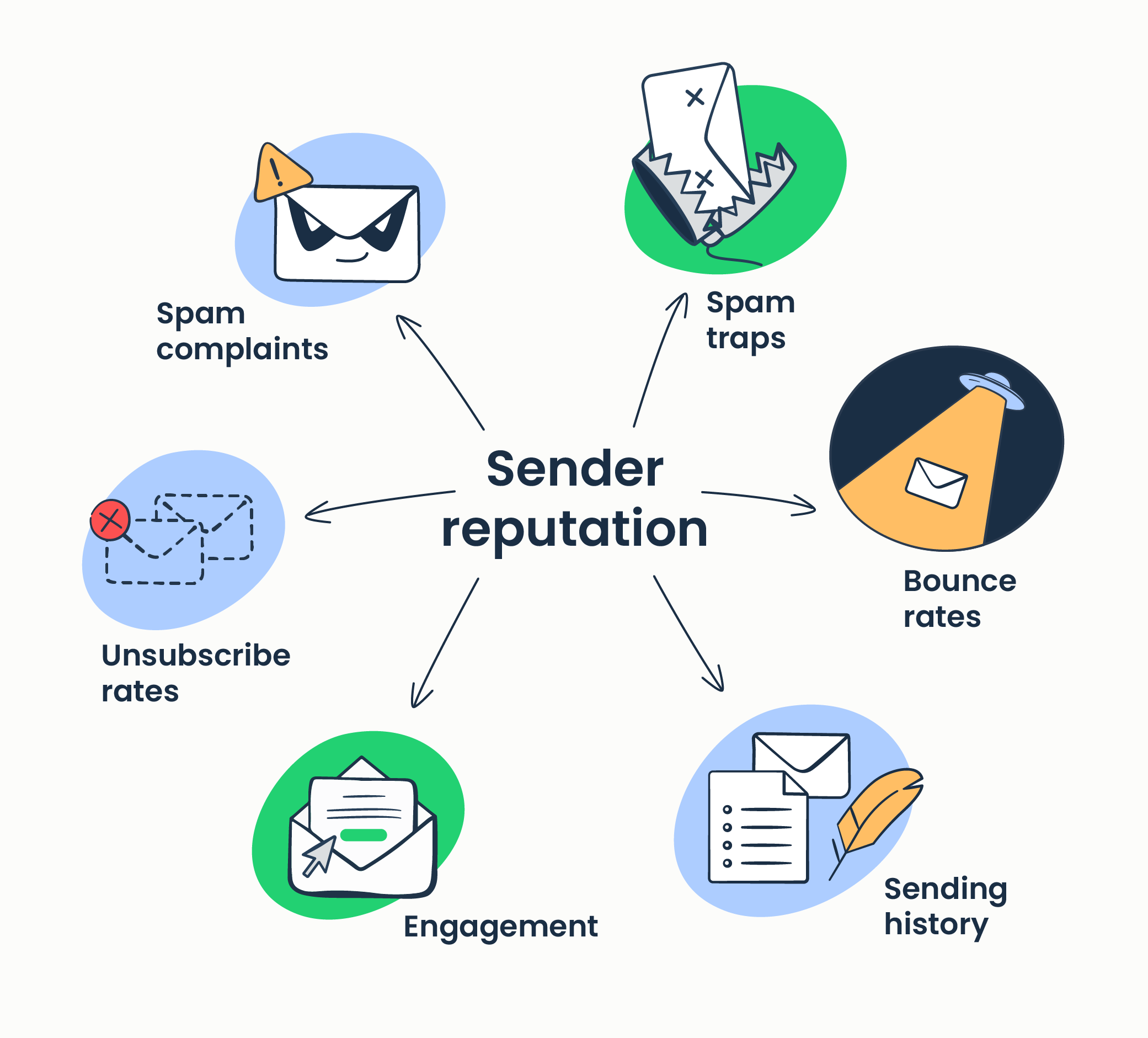
Inbox placement = Sender reputation + Content quality + User engagement
If any of these goes down, your inbox placement drops.
Reduce inbox placement: Fewer emails go to the user’s primary inbox → more end up in Promotions or Spam. It’s one of the most damaging effects of low engagement, bad content, or bad sending practices in your eMail Strategy.
10. CONCLUSION
Are you sure that your Sender Reputation is in the proper level by MBPs? Does your content meet the good practices in terms of Quality? Is your Users’ engagement at the right leve? If you are unsure, then just Book a FREE AUDIT with us and we’ll check rapidly what’s good or wrong with your Account.